
How to Automate Customer Service with Artificial Intelligence in 2026
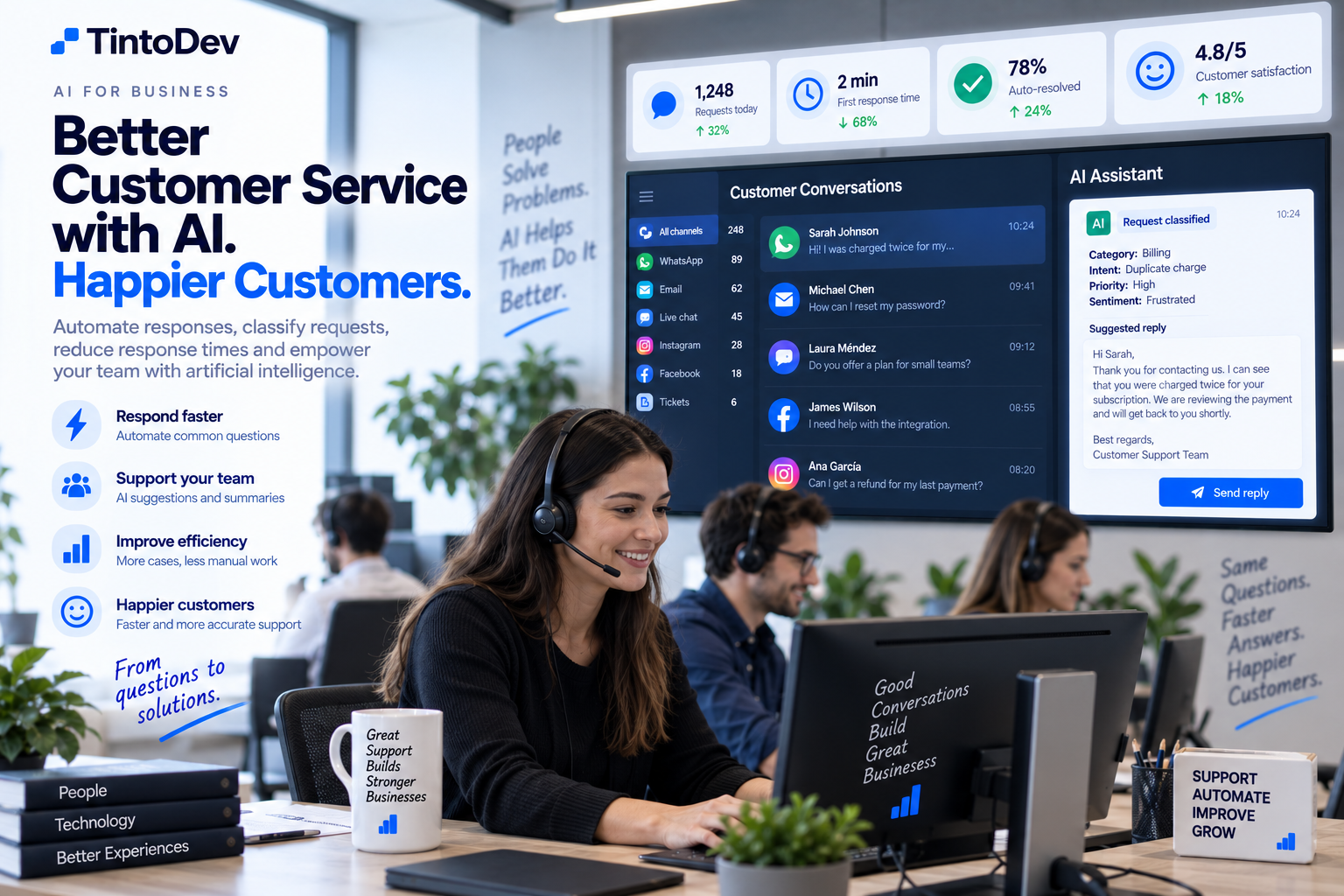
AI can help businesses respond faster, classify requests, automate repetitive tasks, and improve control over customer service operations.
Customer service can quickly become one of the hardest business processes to scale.
As the number of customers increases, so does the volume of:
- messages;
- emails;
- requests;
- tickets;
- frequently asked questions;
- complaints;
- follow-ups;
- sales inquiries.
When all this work depends entirely on people, response times can increase and some requests may be missed.
Artificial intelligence can help automate part of this process.
The goal is not necessarily to replace customer service agents.
The goal is to use AI to handle repetitive tasks, organize information, and help human teams work more efficiently.
What Does It Mean to Automate Customer Service?
Customer service automation means using software to perform tasks that would normally require manual intervention.
For example:
A customer sends a request.
The system can:
- receive the message;
- analyze it;
- identify the customer's intent;
- classify the request;
- assign it to the correct team;
- generate an initial response;
- record the interaction;
- trigger follow-up actions.
Artificial intelligence makes this process more flexible because it can understand natural language.
Traditional Automation vs Artificial Intelligence
Traditional automation works with predefined rules.
For example:
If the user selects billing, send the request to the billing department.
AI can interpret what the customer means even when there is no predefined menu.
For example, a customer writes:
I was charged twice for my subscription and need someone to review the payment.
Artificial intelligence can understand that the request is related to:
- billing;
- duplicate payment;
- possible priority;
- administrative support.
The system can then route the request automatically.
Which Customer Service Channels Can Be Automated?
Automation can be applied across different channels.
For example:
- WhatsApp;
- email;
- website chat;
- contact forms;
- social media;
- ticketing systems;
- mobile applications.
A company can also centralize several of these channels in one platform.
Centralizing Customer Service
Before automating customer service, it is often useful to centralize communication.
If conversations are spread across:
- WhatsApp;
- personal email accounts;
- phones;
- spreadsheets;
- forms;
- different applications;
maintaining visibility and traceability becomes difficult.
A centralized customer service platform can display:
- customer;
- conversation;
- channel;
- assigned agent;
- status;
- priority;
- history.
This provides better operational control.
Automatic Request Classification
AI can analyze a message and determine what type of request it contains.
For example:
- technical support;
- sales;
- billing;
- refund;
- complaint;
- general information;
- appointment;
- documentation.
The system can classify the request automatically and route it to the correct team.
Intent Detection
One of the most useful AI capabilities is intent detection.
Two customers may describe the same problem in completely different ways.
For example:
I can't access my account.
and:
The platform won't let me log in.
Both messages can be classified as:
Login issue
This makes automation more flexible than simple keyword-based rules.
AI-Generated Responses
Artificial intelligence can generate responses using available context.
For example:
A customer asks:
Where can I download my invoice?
The system can search the company knowledge base and provide the correct instructions.
Simple questions like this may not require human intervention.
AI Chatbots
Traditional chatbots usually depend on buttons, menus, and predefined flows.
For example:
Press 1 for sales.
Press 2 for support.
An AI chatbot can provide a more natural experience.
The customer can simply explain what they need.
The AI interprets the message and either responds or triggers an action.
Connecting the Chatbot with Real Business Information
A business chatbot should ideally be connected to reliable company information.
For example:
- documentation;
- products;
- services;
- FAQs;
- policies;
- knowledge base.
This helps ensure that responses are based on actual business information instead of generic knowledge.
Escalation to Human Agents
Not every conversation should be solved automatically.
A customer service platform should detect when human intervention is needed.
For example:
- angry or frustrated customer;
- complex request;
- complaint;
- advanced technical problem;
- sensitive case;
- request that cannot be resolved automatically.
In these cases, the AI can escalate the conversation to an agent.
Automatic Conversation Summaries
When a case is transferred to an agent, AI can generate a summary.
For example:
Customer reports a duplicate charge for September. Invoice number and payment method have already been confirmed. Customer is requesting a refund.
This prevents the agent from having to read the entire conversation from the beginning.
Automatic Agent Assignment
A platform can assign requests based on:
- department;
- availability;
- expertise;
- working hours;
- workload;
- priority.
This helps distribute work more efficiently.
Automatic Prioritization
Not every customer request has the same level of urgency.
AI can identify signals related to:
- cancellations;
- critical failures;
- payment issues;
- complaints;
- service outages.
The system can automatically increase the priority of specific cases.
WhatsApp Customer Service Automation
WhatsApp is one of the main communication channels used by many businesses.
An automated workflow could work like this:
- customer sends a WhatsApp message;
- the platform receives it;
- AI identifies the intent;
- the request is classified;
- the system searches for an answer;
- if it can resolve the request, it responds;
- if not, it assigns an agent;
- the complete conversation is recorded.
This can help businesses manage high message volumes.
Email Customer Service Automation
Email can also be automated.
AI can:
- read emails;
- classify them;
- summarize them;
- extract information;
- generate responses;
- create tickets.
For example:
A support email can automatically become a ticket in the customer service platform.
Ticket Automation
AI can integrate directly with a ticketing system.
When a request arrives, the system can:
- create a ticket;
- assign a category;
- determine priority;
- assign an agent;
- suggest a solution;
- update status.
This reduces administrative work.
Intelligent Knowledge Base
A knowledge base stores solutions and information related to common customer questions.
AI can use this information to answer requests.
For example:
- configuration;
- passwords;
- payments;
- company policies;
- procedures;
- technical instructions.
A strong knowledge base significantly improves the quality of AI-assisted customer service.
Suggested Responses for Agents
AI does not always need to respond directly to customers.
It can also assist agents.
For example:
The platform displays:
Suggested Response
The agent can:
- review it;
- edit it;
- approve it;
- send it.
This keeps human control while reducing response time.
Summarizing Long Conversations
Customer service agents may receive conversations containing many messages.
AI can summarize them automatically.
A useful summary can include:
- issue;
- actions already taken;
- information provided;
- current status;
- next action.
This can save significant time.
Sentiment Detection
AI can also analyze the tone of a conversation.
For example:
- positive;
- neutral;
- frustrated;
- angry.
This should not be treated as a perfect signal, but it can help identify cases that may need faster human attention.
Detecting Duplicate Requests
A customer may contact the company several times about the same problem.
The platform can compare:
- customer;
- topic;
- open tickets;
- recent activity.
This can help prevent duplicate tickets from being created.
Automated Follow-Up
Some customer service cases require additional actions.
For example:
- waiting for customer response;
- sending a document;
- verifying a solution;
- confirming payment;
- reviewing a case.
The system can create reminders automatically.
Automation After a Ticket Is Closed
Automation can also continue after a case has been resolved.
For example:
- send confirmation;
- update the CRM;
- record the solution;
- update KPIs;
- close related tasks.
This keeps different business systems synchronized.
Connecting Customer Service with CRM
When customer service is connected to a CRM, agents can see more context.
For example:
- company;
- contact;
- purchased products;
- customer history;
- opportunities;
- previous tickets.
AI can also use this information to generate more relevant responses.
Customer Service and Sales
Some support conversations can become sales opportunities.
For example:
A customer asks whether an additional feature is available.
AI may detect that this could be an upsell or sales opportunity.
The system can then:
- create a lead;
- notify the sales team;
- record the activity.
This helps connect customer support and sales.
Customer Service Metrics
Automation also makes operations easier to measure.
Some useful KPIs include:
First Response Time
How long it takes before the customer receives attention.
Average Resolution Time
How long it takes to resolve a request.
Tickets per Agent
Helps measure workload.
Tickets by Category
Shows which problems appear most frequently.
Automated Resolution Rate
Shows how many cases were resolved without human intervention.
Escalation Rate
Shows how many cases required a human agent.
How to Measure Whether AI Is Working
Implementing AI is not enough.
The impact should be measured.
Useful indicators may include:
- reduced response times;
- increased number of cases handled;
- reduction in manual tasks;
- percentage of automated cases;
- improved resolution times;
- reduced backlog.
This helps determine whether automation is actually creating value.
Automation Without Losing the Human Experience
One common mistake is trying to automate everything.
Customers should still be able to reach a person when necessary.
Automation should mainly handle:
- classification;
- simple questions;
- organization;
- summaries;
- assignment;
- follow-up.
Human agents should focus on cases that require experience, judgment, empathy, or negotiation.
Security and Privacy
Customer service systems may handle sensitive information.
For this reason, companies should carefully control:
- user access;
- permissions;
- information sent to AI systems;
- data storage;
- logs;
- providers.
The architecture should be designed according to the type of information the business handles.
Human in the Loop
For important workflows, human approval can remain part of the process.
For example:
AI drafts a response.
The agent approves it.
AI classifies a request.
A supervisor reviews exceptional cases.
This creates a balance between speed and control.
How to Start
A company does not need to automate its entire customer service operation at once.
It can begin with a specific use case.
Phase 1
Centralize conversations.
Phase 2
Automatically classify requests.
Phase 3
Generate suggested responses.
Phase 4
Automate frequently asked questions.
Phase 5
Add advanced AI and integrations.
This allows the company to validate each stage progressively.
Example of Automated Customer Service
A workflow could operate like this:
Step 1
Customer sends a WhatsApp message.
Step 2
AI identifies a billing issue.
Step 3
The system checks basic customer information.
Step 4
A ticket is created.
Step 5
Priority is assigned.
Step 6
An initial response is generated.
Step 7
The correct agent is assigned.
Step 8
The agent receives an AI-generated summary.
Step 9
The issue is resolved.
Step 10
The system updates performance indicators.
Many of these actions can happen automatically.
Benefits of AI Customer Service Automation
Some of the main benefits include:
- faster responses;
- less repetitive work;
- better organization;
- greater traceability;
- fewer missed requests;
- better workload distribution;
- higher support capacity;
- improved reporting;
- greater productivity.
When Should a Business Automate Customer Service?
Some clear signs include:
- too many messages;
- overloaded support teams;
- slow responses;
- repetitive requests;
- missed conversations;
- poor traceability;
- multiple disconnected channels;
- excessive manual work.
When these problems become constant, there may be a strong opportunity for automation.
AI Customer Service with TintoDev
At TintoDev, we develop custom platforms for business process automation.
A customer service solution can include:
- WhatsApp;
- email;
- web chat;
- ticketing;
- CRM;
- artificial intelligence;
- request classification;
- suggested responses;
- workflow automation;
- dashboards;
- reports;
- integrations.
The platform can be adapted to the specific workflows of each company.
Conclusion
Artificial intelligence can significantly improve customer service when implemented correctly.
It can help classify requests, answer frequently asked questions, summarize conversations, assign agents, and automate follow-up.
But the objective should not be to eliminate human customer service.
The strongest approach is to use AI to reduce repetitive work and allow agents to focus on conversations that require human judgment and experience.
A good combination of people, automation, and artificial intelligence can help businesses support more customers with greater speed, consistency, and control.
Want to apply this in your business?
Let’s talk. We can guide you with no cost or commitment.