
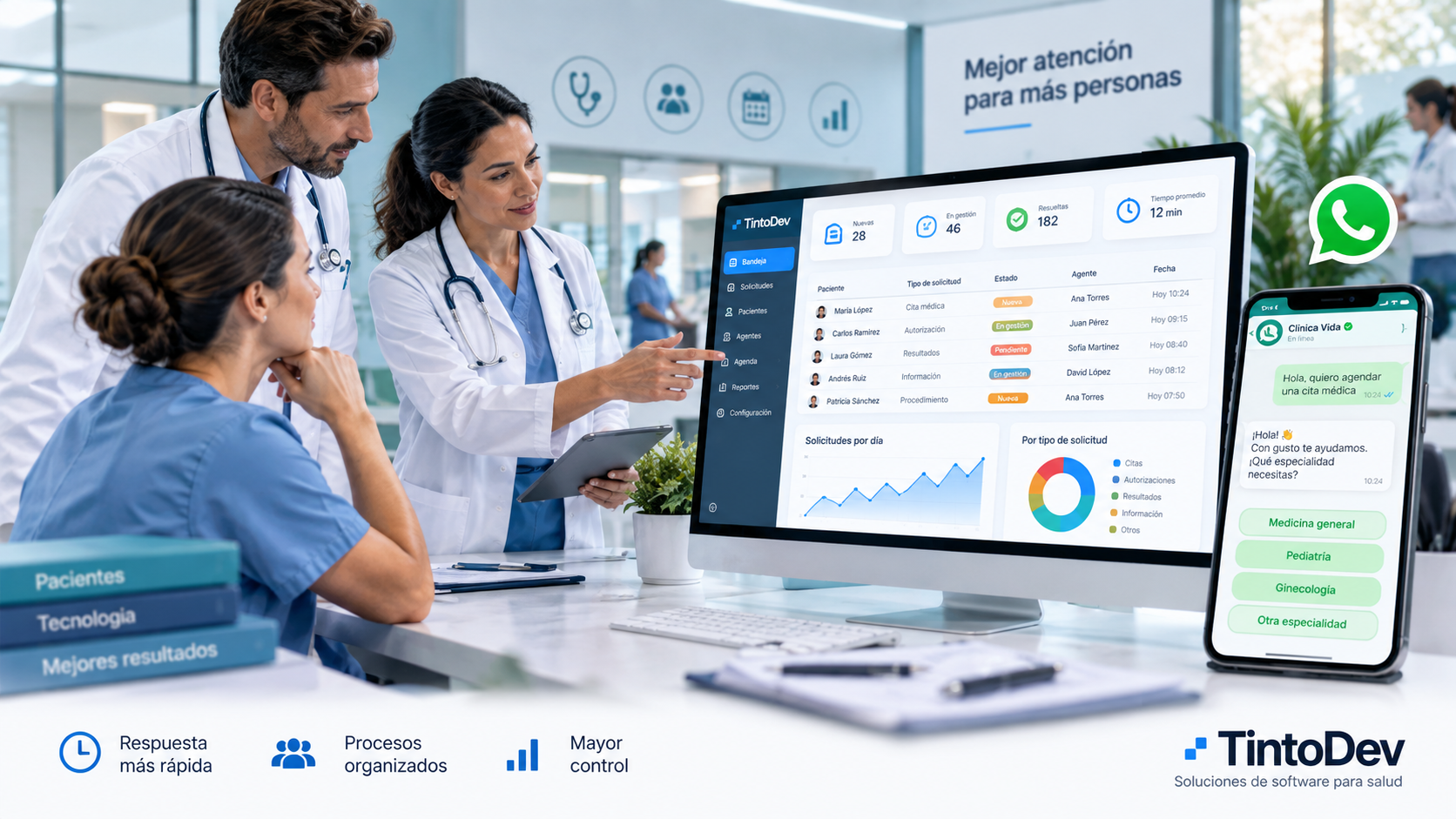
How to Automate WhatsApp Customer Service for a Clinic or Healthcare Provider
Automating WhatsApp helps clinics organize requests, assign agents, reduce response times, and improve patient service traceability.
WhatsApp has become one of the main communication channels between patients and healthcare organizations.
Clinics, medical centers, and healthcare providers receive messages every day related to:
- appointments;
- authorizations;
- test results;
- documents;
- procedures;
- opening hours;
- payments;
- administrative support.
When the number of conversations is low, managing everything manually may work.
The problem starts when message volume increases and several team members need to handle conversations at the same time.
At that point, organizations may experience missed requests, duplicate replies, long waiting times, and limited traceability.
Automating WhatsApp customer service helps transform these conversations into structured, measurable, and controlled workflows.
What Does It Mean to Automate WhatsApp in a Clinic?
Automating WhatsApp does not mean completely replacing the human team.
It means using technology to reduce repetitive tasks and organize patient communication more efficiently.
For example, a platform can automate:
- message reception;
- request classification;
- agent assignment;
- initial responses;
- notifications;
- alerts;
- status changes;
- follow-ups;
- performance indicators.
The goal is to ensure that every conversation follows a defined workflow.
Common Problems When Managing WhatsApp Manually
When a clinic uses several phones or WhatsApp accounts without a centralized platform, different operational problems may appear.
Unanswered Requests
Some messages may be missed among many conversations.
Duplicate Replies
Two team members may respond to the same patient without knowing that someone else is already handling the case.
Lack of Ownership
It may be difficult to know who is responsible for each request.
Limited Traceability
It can be hard to reconstruct what happened with a specific case.
Poor Workload Distribution
Some agents may receive too many requests while others have fewer.
Lack of Performance Indicators
Supervisors cannot easily measure response times, request volumes, or workload distribution.
Step 1: Centralize All Conversations
The first step is to prevent messages from being scattered across different phones.
A platform connected to WhatsApp can display all conversations in a single inbox.
Each request can include information such as:
- patient name;
- contact number;
- date and time;
- status;
- priority;
- assigned agent;
- request type;
- history.
This allows the entire team to work from the same platform.
Step 2: Convert Messages Into Requests
A conversation can automatically become a request or ticket.
This makes it possible to manage each case as an independent process.
For example:
A patient writes to request an appointment.
The system creates a request.
That request can have its own identifier, status, owner, and creation date.
The request can then be tracked until closure.
Step 3: Automatically Classify Messages
Not every conversation has the same purpose.
A clinic may receive messages related to:
- appointments;
- authorizations;
- laboratory services;
- diagnostic imaging;
- billing;
- results;
- procedures;
- general information.
The system can classify these requests and route them to the correct department.
Classification can be handled through predefined rules or artificial intelligence.
Step 4: Automatically Assign Requests
Once the type of request has been identified, the system can assign it to an agent.
Distribution can be based on:
- department;
- availability;
- specialty;
- schedule;
- location;
- workload;
- priority.
This reduces the amount of manual coordination required from supervisors.
Step 5: Create Automated Responses
Many questions are repetitive.
For example:
- opening hours;
- addresses;
- required documents;
- procedure preparation;
- payment methods;
- service requirements.
These responses can be automated.
The patient receives information immediately, while the team can focus on cases that require human attention.
Step 6: Use Request Statuses
Every request should have a status.
Some examples include:
- new;
- assigned;
- in progress;
- pending;
- waiting for patient;
- waiting for authorization;
- scheduled;
- resolved;
- closed.
Statuses make it easier to understand what is happening with each case.
Step 7: Configure Time-Based Alerts
A platform can monitor how long a request has been waiting for attention.
For example:
If a request remains unattended for too long, the system can generate an alert.
It can also:
- notify a supervisor;
- increase the request priority;
- reassign the case;
- register an SLA breach.
This helps improve response times.
Step 8: Detect Duplicate Requests
A patient may write several times about the same issue.
The system can identify possible duplicates using information such as:
- phone number;
- identification number;
- email;
- request type;
- date.
This helps prevent different agents from working on the same case.
Step 9: Automate Reassignments
When a request reaches the wrong department, it should be easy to transfer it.
The system can record:
- previous agent;
- new agent;
- date;
- time;
- reason for reassignment.
This maintains full traceability.
Step 10: Automate Follow-Ups
Some cases require additional follow-up.
For example:
- missing documentation;
- patient response required;
- pending authorization;
- appointment confirmation.
The system can create automatic reminders so that requests are not forgotten.
Automating Appointments Through WhatsApp
One of the most common use cases is appointment management.
A workflow could operate as follows:
- the patient sends a message;
- the system identifies that the patient wants an appointment;
- basic information is requested;
- availability is checked;
- options are presented;
- the appointment is registered;
- confirmation is sent;
- a reminder is sent later.
Depending on the integrations available, part of this process can be automated.
Automating Authorization Requests
Healthcare organizations can also structure authorization processes.
For example:
- the patient starts the request;
- documents are submitted;
- the system registers the case;
- an agent is assigned;
- the status is updated;
- notifications are sent;
- the request is closed.
This reduces manual follow-up.
WhatsApp Business API for Clinics
More advanced automation generally requires the business infrastructure provided for WhatsApp.
This allows WhatsApp to connect with external systems.
For example:
- CRM;
- customer service platforms;
- scheduling systems;
- ERP;
- databases;
- internal systems;
- artificial intelligence tools.
The architecture should be designed according to the needs of each organization.
How Artificial Intelligence Can Help
Artificial intelligence can complement WhatsApp automation.
Some use cases include:
- message classification;
- intent detection;
- conversation summaries;
- response suggestions;
- information extraction;
- categorization;
- priority detection.
This can reduce the amount of time agents spend manually reviewing each conversation.
Key Metrics a Clinic Should Measure
A platform should not only automate processes.
It should also make them measurable.
Some important indicators include:
First Response Time
The time between the patient's first message and the beginning of the service process.
Average Resolution Time
The amount of time required to close a request.
Requests per Agent
This helps analyze workload distribution.
Requests per Service Line
This shows which area receives the highest volume.
Reassigned Requests
This can reveal classification or routing problems.
Duplicate Requests
This shows how much additional work may be caused by duplication.
Workload per Agent
This shows how many active requests each team member has.
Automation Without Losing Human Service
Not everything in healthcare should be automated.
Some conversations require direct human attention.
Automation is especially useful for:
- organizing;
- classifying;
- distributing;
- informing;
- reminding;
- measuring.
Human agents can then focus on cases that require judgment, analysis, or personalized support.
Benefits of Automating WhatsApp
Some of the main benefits include:
- shorter response times;
- fewer missed requests;
- fewer duplicate cases;
- better workload distribution;
- greater traceability;
- better operational control;
- more visibility for supervisors;
- fewer manual tasks;
- greater service capacity.
When Should a Clinic Automate WhatsApp?
Some clear signs include:
- high message volume;
- several agents using different phones;
- unanswered requests;
- patients contacting the clinic multiple times;
- limited traceability;
- lack of performance indicators;
- long response times;
- excessive manual work.
When several of these problems happen frequently, a centralized platform can provide significant value.
Start With an MVP
It is not necessary to automate everything from the beginning.
A clinic can start with a first version.
Phase 1
- centralized inbox;
- WhatsApp integration;
- requests;
- users;
- statuses;
- assignments.
Phase 2
- automation rules;
- alerts;
- reassignments;
- duplicate detection;
- performance indicators.
Phase 3
- artificial intelligence;
- integrations;
- advanced automations.
This approach allows the platform to be implemented progressively.
WhatsApp Automation With TintoDev
At TintoDev, we develop custom business platforms designed to centralize and automate operations.
For clinics and healthcare organizations, a solution may include:
- WhatsApp integration;
- centralized inbox;
- patient management;
- request management;
- automatic assignment;
- statuses;
- reassignments;
- duplicate detection;
- scheduling;
- performance indicators;
- auditing;
- automations;
- integrations.
The platform can be adapted to the specific workflows of each organization.
Conclusion
WhatsApp is an effective communication channel for patients, but managing large volumes of conversations manually has clear limitations.
Automating WhatsApp makes it possible to organize requests, assign them correctly, control response times, and maintain full traceability.
A specialized platform can transform scattered conversations into structured workflows.
For clinics and healthcare providers looking to improve patient service and increase operational capacity, WhatsApp automation can become an important digital transformation tool.
Want to apply this in your business?
Let’s talk. We can guide you with no cost or commitment.