
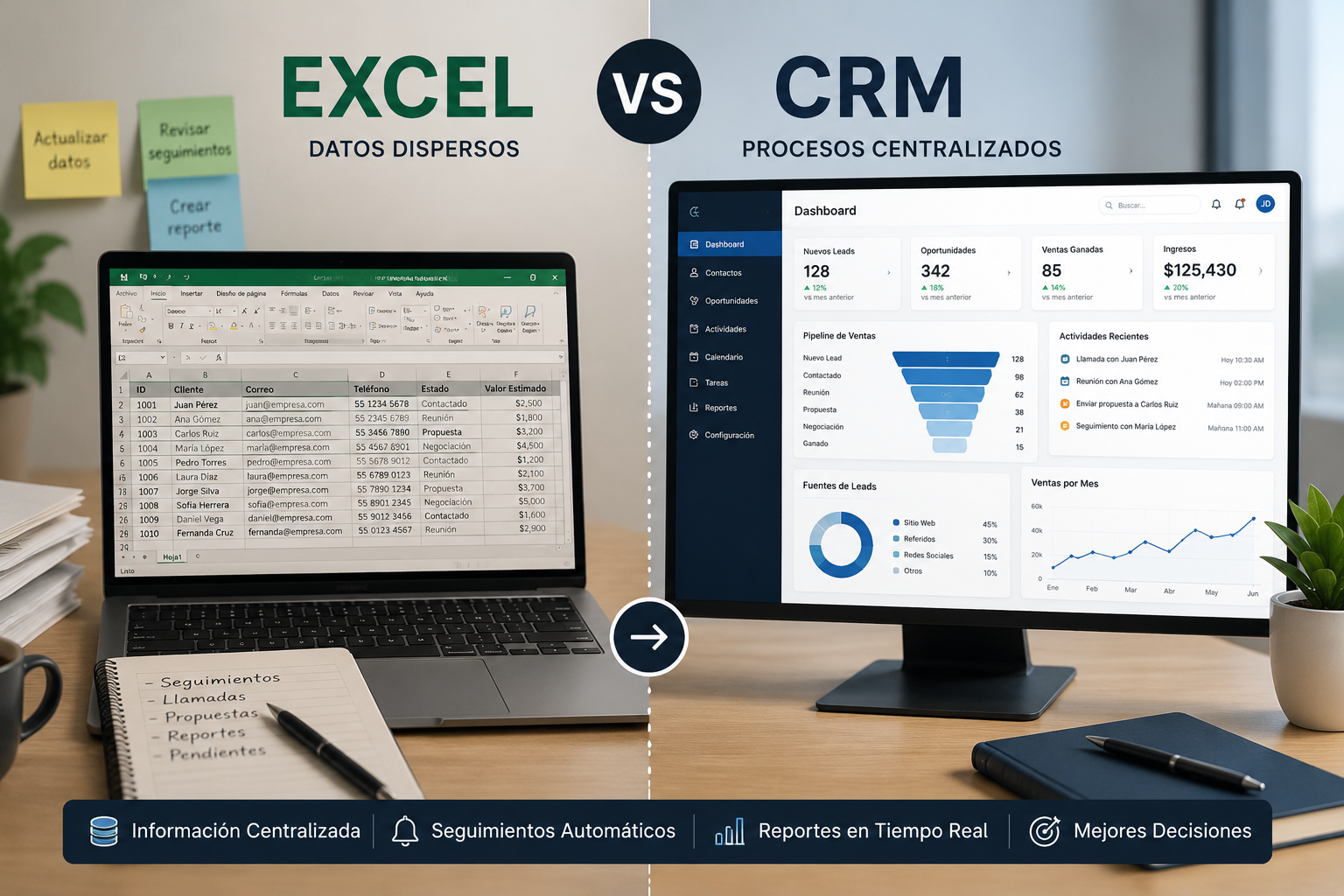
CRM vs Excel: When Should a Business Stop Using Spreadsheets?
Excel is an excellent tool for getting started, but it can become a limitation as customers, leads, and sales activities increase. Learn when it may be time to migrate to a CRM.
Many businesses begin managing customers, sales opportunities, and follow-ups using Excel or Google Sheets.
And that makes sense.
Spreadsheets are affordable, flexible, familiar to most teams, and allow businesses to organize information quickly without implementing an entirely new system.
The problem begins when the business starts to grow.
More customers mean more contacts. More sales representatives mean more updates. More opportunities mean more follow-ups, tasks, meetings, and information that must remain organized.
At that point, an important question appears:
Should the company continue using Excel, or is it time to implement a CRM?
The answer depends on the size of the operation, the complexity of the sales process, and the amount of information the team needs to manage.
In this article, we explore the main differences between Excel and a CRM, the signs that spreadsheets are becoming insufficient, and when migrating to a specialized platform may make sense.
Why do so many companies start with Excel?
Excel and Google Sheets are extremely useful tools for organizing information.
A business in its early stages may use a spreadsheet to track:
- Customer name.
- Company.
- Phone number.
- Email address.
- Opportunity status.
- Estimated deal value.
- Next follow-up date.
- Sales notes.
When there are only a few customers and one person manages the sales process, this approach can work perfectly well.
Spreadsheets also provide several advantages.
Low cost
Many companies already have access to Excel or Google Workspace, which means there may be no need to purchase additional software initially.
Flexibility
Teams can create columns, filters, formulas, and basic reports based on their specific requirements.
Easy implementation
There is no complex implementation process, and employees usually do not require extensive training.
The problem is not using Excel.
The problem is continuing to depend on Excel when the operation requires something more advanced.
What is a CRM?
CRM stands for Customer Relationship Management.
A CRM is a platform specifically designed to centralize information related to leads, customers, and sales opportunities.
Unlike a spreadsheet, a CRM does more than store data.
It can also help manage processes such as:
- Lead management.
- Sales pipelines.
- Sales activities.
- Meetings.
- Reminders.
- Proposals.
- Communications.
- Automations.
- Reporting.
- Customer history.
The objective is to provide the team with a centralized view of the entire customer relationship.
CRM vs Excel: the main differences
Although both systems can store information, they were designed to solve different problems.
Excel organizes information
A spreadsheet primarily provides a data structure.
Users must manually update information, remember what actions need to be completed, and determine how processes should be organized.
A CRM manages processes
A CRM can transform information into actions.
For example, when an opportunity moves to another stage, the system can automatically create a follow-up task, send a notification, or record a new activity.
This difference becomes increasingly important as customer volume grows.
1. When several people need to modify the same information
One of the first problems appears when the sales team begins to grow.
When only one person manages the spreadsheet, keeping information organized can be relatively simple.
Once several people become involved, questions begin to appear:
- Who updated this customer?
- Which information is the most recent?
- Who is responsible for the next follow-up?
- Is this opportunity still active?
- Who last spoke with this prospect?
A CRM can assign ownership and maintain a history of activities associated with each customer.
2. When duplicate information becomes common
Duplicate data frequently appears when multiple people use separate files or documents.
The same customer may exist several times with different emails, phone numbers, or sales statuses.
This can result in duplicated communications and a poor customer experience.
A CRM centralizes customer records and can significantly reduce these problems.
3. When follow-ups depend on memory
One of the biggest differences between Excel and a CRM is activity management.
A spreadsheet can indicate that you need to contact a customer again next Tuesday.
However, the spreadsheet may not remind you to do it.
A CRM can manage:
- Tasks.
- Reminders.
- Notifications.
- Meetings.
- Automated follow-ups.
This reduces the possibility of losing opportunities simply because someone forgot to make a call or send an email.
4. When you do not have a clear view of your sales pipeline
As the number of sales opportunities increases, understanding the overall pipeline becomes more difficult when using only spreadsheets.
A CRM allows opportunities to be organized by stages.
For example:
New Lead → Contacted → Meeting → Proposal → Negotiation → Won
This allows managers to quickly identify:
- How many opportunities currently exist.
- How much potential revenue is in the pipeline.
- Which opportunities have stopped progressing.
- Which sales representatives have the most opportunities.
- What the conversion rate looks like.
This level of visibility can significantly improve decision-making.
5. When you need to automate repetitive tasks
Excel is excellent for working with data, formulas, and calculations.
However, when the team needs to automate entire business processes, a CRM provides considerably more possibilities.
For example, a company may automate:
- Lead assignment.
- Follow-up tasks.
- Emails.
- Reminders.
- Status changes.
- Team notifications.
- Opportunity creation.
- Website forms.
- WhatsApp or other communication channels.
- Reporting.
Automation can reduce the amount of administrative work required from the sales team.
6. When you need a complete customer history
In many organizations, customer information is distributed across several platforms.
Some information is stored in Excel.
Other conversations remain in WhatsApp.
Emails are stored in Gmail or Outlook.
Meetings exist in calendars.
Proposals are stored somewhere else.
This makes understanding the complete customer relationship difficult.
A CRM can centralize information such as:
- Contact details.
- Opportunities.
- Notes.
- Meetings.
- Emails.
- Tasks.
- Documents.
- Proposals.
- Projects.
Authorized users can then quickly understand the current status of a customer relationship.
7. When you need better reporting
Spreadsheets can certainly be used to create graphs and dashboards.
However, those reports frequently depend on information being manually updated.
In a CRM, reports can be generated directly from sales activity.
Examples include:
- Monthly sales.
- Lead conversion.
- Sales representative performance.
- Opportunities by stage.
- Pipeline value.
- Average closing time.
- Lead sources.
- Completed activities.
These insights can help identify problems and opportunities within the sales process.
8. When Excel starts consuming too much time
One important warning sign appears when the team spends too much time managing the spreadsheet itself.
Copying information.
Updating statuses.
Removing duplicates.
Searching for customers.
Preparing reports.
Remembering follow-ups.
Moving information between applications.
When managing the system begins consuming a meaningful portion of the team's time, the business may need a more specialized solution.
When should a business continue using Excel?
Not every business needs a CRM immediately.
Excel may still be a good solution when:
- Customer volume is relatively small.
- One person manages the sales process.
- There are only a few active opportunities.
- The sales process is simple.
- Automation is not necessary.
- Reporting requirements are basic.
- The business is still validating its model.
In these situations, implementing a CRM too early can add unnecessary complexity.
When should a business migrate to a CRM?
Migration begins to make sense when several of the following situations appear:
- The company manages hundreds of contacts.
- Several employees participate in sales.
- Follow-ups are being missed.
- Duplicate records are common.
- Understanding opportunity status is difficult.
- Preparing reports requires too much manual work.
- Customers communicate through several channels.
- The organization needs automation.
- The sales process has multiple stages.
- The company is growing rapidly.
There is no exact number of customers that determines when a CRM becomes necessary.
Operational complexity is usually a better indicator.
Standard CRM or custom CRM?
Once a business decides to move beyond Excel, another question appears:
Should you use an existing CRM or develop a custom one?
Platforms such as HubSpot, Salesforce, Zoho, and other commercial CRM solutions can be excellent options for many organizations.
A standard CRM may be appropriate when the sales process is relatively common and the platform can easily accommodate the company's requirements.
A custom CRM may become more attractive when the business has:
- Specialized sales processes.
- Specific integrations.
- Complex automation requirements.
- Multiple departments using the same platform.
- Unique business rules.
- Specialized reporting requirements.
- Internal systems that must be connected.
In these situations, the system can be designed around how the company actually operates.
Moving from Excel to a CRM does not mean losing flexibility
Some teams worry that implementing a CRM means losing the flexibility of spreadsheets.
That does not necessarily have to happen.
A properly configured CRM should allow businesses to customize fields, stages, users, permissions, automations, and reports.
The difference is that the information no longer depends entirely on individual files and becomes part of a structured business system.
The CRM should adapt to the process, not the other way around
Technology should simplify business operations.
It should not force employees to create unnecessary processes simply because the software works in a particular way.
Before implementing a CRM, companies should analyze:
- How new leads arrive.
- How leads are assigned.
- What stages exist in the sales process.
- What information employees need.
- Which tasks can be automated.
- Which tools need to be integrated.
- Which metrics management needs to monitor.
This analysis makes it easier to select or develop the right solution.
Conclusion
Excel can be an excellent tool during the early stages of a business.
It is flexible, accessible, and allows companies to get started quickly.
But as the number of customers, sales representatives, opportunities, and processes increases, spreadsheets can become a limitation.
A CRM can centralize information, automate tasks, improve sales follow-up, and provide a clearer view of business opportunities.
The question should not simply be:
“Excel or CRM?”
A better question is:
“Can our current tools still support the way our business is growing?”
When the answer starts becoming no, it may be time to evaluate a CRM.
At TintoDev, we design and develop business solutions around the real processes of each organization, including custom CRM platforms, automation, and integrations with existing systems.
If your team is managing an increasing number of customers and Excel is beginning to feel limiting, it may be the right time to evaluate the next step.
Want to apply this in your business?
Let’s talk. We can guide you with no cost or commitment.