
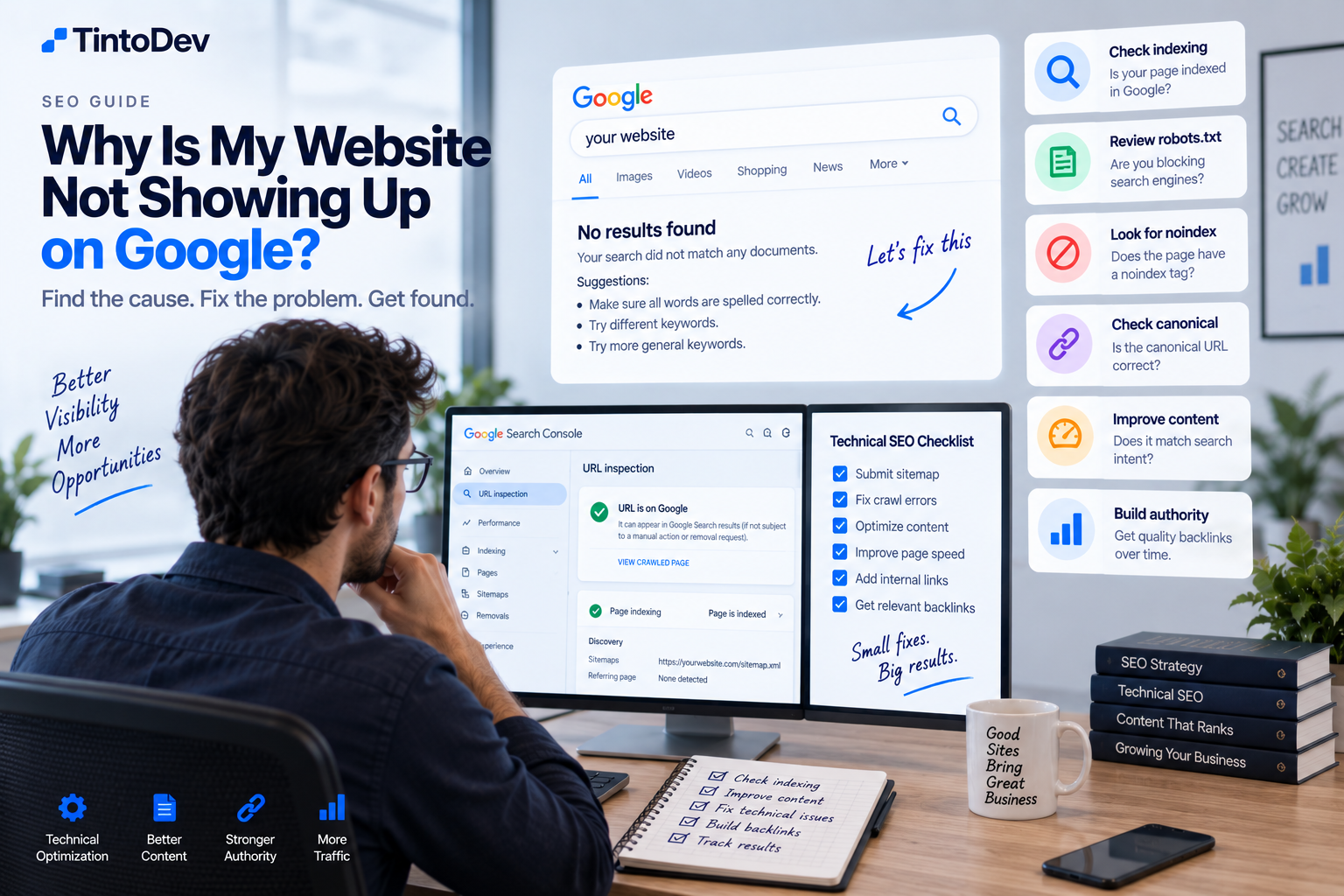
Why Is My Website Not Showing Up on Google and How Can I Fix It?
If your website is not appearing on Google, the cause may be indexing issues, technical SEO problems, weak content, or low authority. Here is how to identify the problem and fix it.
One of the most common questions businesses ask after launching a website is:
Why is my website not showing up on Google?
Publishing a website does not automatically mean Google will display it in search results.
Before a page can appear, Google generally needs to discover it, crawl it, index it, and then determine whether it is relevant for a specific search.
If any of these steps fail, the page may not appear at all or may rank too low to be noticed.
In this guide, we explain the most common reasons why a website may not appear on Google and what you can do to fix them.
1. Google Has Not Discovered Your Website Yet
When a website is new, Google may take some time to find it.
This is especially common when:
- the domain is new;
- there are no external links pointing to the website;
- no sitemap has been submitted;
- the site has very few pages;
- Google Search Console has not been configured.
What to Do
Set up Google Search Console.
Submit your sitemap.
Make sure important pages are accessible.
You can also request indexing for specific URLs.
2. The Page Is Not Indexed
Google may know that a URL exists without adding it to its index.
A page can be crawled and still not appear in search results.
How to Check
Use Google Search Console.
The URL Inspection tool can tell you whether a page is:
- indexed;
- discovered;
- crawled;
- excluded.
You can also use a Google search such as:
site:yourdomain.com
This can give you a quick view of pages that appear to be indexed.
3. Your robots.txt File Is Blocking Google
The robots.txt file tells search engines which parts of a website they can crawl.
An incorrect configuration can block important pages.
For example:
Disallow: /
may prevent search engines from crawling most of the website.
This issue sometimes happens when a website moves from a development environment to production.
4. The Page Has a noindex Tag
A page may contain an instruction telling search engines not to index it.
For example:
<meta name="robots" content="noindex">
This is useful for private or internal pages.
However, if it is accidentally added to service pages or blog articles, those pages may not appear on Google.
5. The Canonical Tag Is Incorrect
A canonical tag tells search engines which version of a page should be treated as the main version.
If the canonical points to another URL, Google may choose not to index the current page.
For important pages, make sure the canonical tag points to the correct URL.
6. The Page Is Too New
SEO takes time.
A new page can be indexed but still take time to gain visibility.
This is especially true when:
- the domain has little authority;
- the topic is competitive;
- the page has no backlinks;
- Google has limited signals about the content.
Not ranking in the first few days does not necessarily mean something is wrong.
7. The Content Does Not Match Search Intent
Google tries to show results that best match what the user is searching for.
For example, if you want to rank for:
healthcare software
but the page mostly talks about general web development, the content may not match the search intent well enough.
The page topic should align closely with the query you want to target.
8. You Are Targeting a Keyword That Is Too Competitive
Some keywords are extremely competitive.
Examples include:
- software;
- marketing;
- SEO;
- web development;
- CRM.
A new website may struggle to rank for broad terms like these.
It is often better to start with more specific searches.
For example:
Instead of:
software
you could target:
recruitment software for agencies
Instead of:
SEO
you could target:
SEO for software companies
9. The Content Is Too Thin
A page with very little useful information may struggle to compete.
This does not mean every article needs to be extremely long.
It means the content should answer the query thoroughly enough.
Useful content may include:
- the main answer;
- related questions;
- examples;
- practical steps;
- relevant context.
10. You Have Duplicate or Overlapping Content
If several pages on your site target almost the same topic, Google may struggle to decide which one to show.
For example:
- software for clinics;
- best software for clinics;
- clinic platform;
- clinic management system.
If all of these pages contain very similar content, they may compete with each other.
This is often referred to as keyword cannibalization.
11. There Is Not Enough Internal Linking
A page that is isolated from the rest of the site may be harder for users and search engines to discover.
Internal links help connect related content.
For example, an article about technical SEO can link to:
- SEO for businesses;
- Google Search Console;
- website speed;
- indexing.
This helps build context around the topic.
12. The Website Has Low Authority
New websites usually have limited authority.
Google may not yet have many external signals showing that the site is a trusted source.
Authority can improve over time through:
- useful content;
- backlinks;
- brand mentions;
- consistency;
- time.
Building authority is a long-term process.
13. The Website Has Few or No Backlinks
Backlinks are links from other websites to your site.
They are not the only ranking factor, but they can help strengthen visibility and authority.
A site with no backlinks may take longer to compete in difficult markets.
Some ways to earn relevant backlinks include:
- partnerships;
- industry directories;
- guest content;
- interviews;
- case studies;
- original research;
- useful resources.
14. The Website Is Too Slow
Website speed affects user experience.
A slow page can lead to:
- higher abandonment;
- lower engagement;
- poor mobile experience.
Serious performance problems can also make crawling less efficient.
15. The Mobile Version Has Problems
Google primarily evaluates the mobile version of a website.
If your site works poorly on mobile devices, this can affect organic performance.
Review:
- font size;
- buttons;
- layout;
- page speed;
- images;
- navigation.
16. The Website Has Technical Errors
Technical problems can affect crawling and indexing.
Examples include:
- 404 errors;
- incorrect redirects;
- redirect loops;
- server errors;
- broken sitemaps;
- inaccessible pages;
- blocked resources.
A technical SEO audit can help identify these issues.
17. The Website Depends Too Heavily on JavaScript
Many modern websites use JavaScript to load content.
Google can process JavaScript, but poor implementation can make crawling and indexing more difficult.
This is especially important for web applications and JavaScript-heavy websites.
Check how your important content is rendered and whether search engines can access it correctly.
18. You Do Not Have a Sitemap
A sitemap helps search engines discover important URLs.
It is commonly available at a path such as:
/sitemap.xml
It should include pages that you actually want search engines to find and index.
19. Your Sitemap Contains Incorrect URLs
A sitemap can also create problems if it includes:
- redirected URLs;
- noindex pages;
- 404 pages;
- duplicate pages.
Keep the sitemap clean and focused on valid indexable URLs.
20. Your Domain Is Very New
New domains may need time to build trust and visibility.
There is no exact number of days before a website begins ranking.
However, it is normal for a new domain to have less visibility than a website that has been publishing quality content for years.
How to Find Out Exactly What Is Wrong
The best place to start is Google Search Console.
Review:
- indexing;
- pages;
- queries;
- impressions;
- errors;
- coverage-related issues.
The URL Inspection tool is especially useful for diagnosing individual pages.
What to Check First
A practical troubleshooting order is:
Step 1
Check whether the URL is indexed.
Step 2
Review robots.txt.
Step 3
Check for noindex directives.
Step 4
Confirm the canonical URL.
Step 5
Review the sitemap.
Step 6
Evaluate search intent.
Step 7
Improve the content.
Step 8
Add internal links.
Step 9
Build relevant backlinks.
Step 10
Monitor performance in Search Console.
What to Do If the Page Is Indexed but Does Not Rank
If the page is indexed, the issue may be more related to relevance, competition, or authority.
You can improve the page by:
- improving the title;
- expanding useful content;
- adding FAQs;
- strengthening internal linking;
- adding examples;
- updating outdated information;
- earning relevant backlinks.
What to Do If You Have Zero Impressions
If a page has had zero impressions for a long time, review:
- indexation;
- canonical tags;
- noindex directives;
- sitemap inclusion;
- internal links.
Also confirm that the page is actually targeting a search query people use.
What to Do If You Have Impressions but Few Clicks
If you already have impressions, Google is showing the page.
The problem may be related to:
- ranking position;
- title;
- meta description;
- search intent.
Improving the search snippet may help increase click-through rate.
What to Do If You Rank Between Positions 10 and 20
This can be a strong opportunity.
It means Google already considers the page relevant.
You may be able to improve rankings by:
- updating the article;
- improving content depth;
- adding internal links;
- earning backlinks;
- improving user experience.
Sometimes relatively small improvements can help a page move higher.
What to Do If Multiple Pages Compete for the Same Keyword
You may need to:
- merge content;
- redefine search intent;
- redirect a weaker page;
- target different keywords;
- improve internal linking.
Each page should have a clear and distinct purpose.
How to Prevent These Problems Before Publishing
Before publishing a page, define:
- main keyword;
- search intent;
- URL;
- title;
- meta description;
- internal links;
- category;
- topic.
This helps reduce SEO conflicts later.
SEO Is Not Just Publish and Wait
Publishing content is only one part of SEO.
You also need to:
- measure;
- update;
- fix;
- optimize;
- link;
- improve.
Pages that do not rank today can perform better later with consistent optimization.
How TintoDev Can Help
At TintoDev, we work with web development, technical SEO, content, and business website optimization.
We can help identify problems related to:
- indexing;
- website architecture;
- performance;
- content;
- On-Page SEO;
- Search Console;
- internal linking;
- SEO strategy.
The goal is to build websites that not only look good, but can also be found by the right audience.
Conclusion
If your website is not appearing on Google, there may be several possible causes.
The problem may be related to:
- indexing;
- technical SEO;
- content;
- competition;
- authority;
- site structure.
The best approach is to review the website step by step.
First, make sure Google can access and index the page.
Then focus on relevance, content quality, internal linking, and authority.
SEO takes time, but a structured strategy can improve visibility significantly over the long term.
Want to apply this in your business?
Let’s talk. We can guide you with no cost or commitment.