
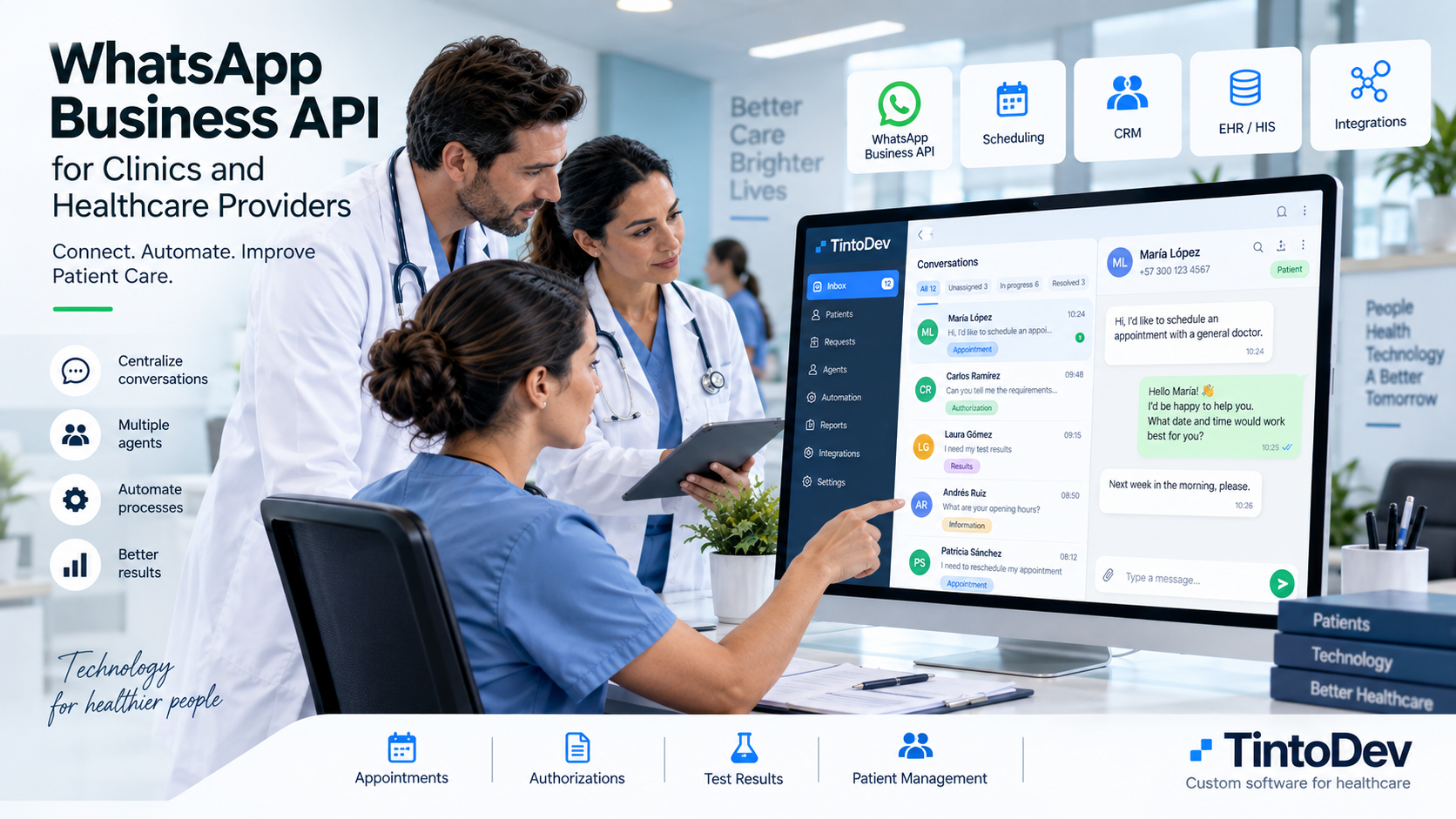
WhatsApp Business API for Clinics and Healthcare Providers: How It Works and How to Integrate It
WhatsApp Business API helps clinics centralize conversations, automate responses, assign agents, and connect patient communication with internal systems.
WhatsApp has become one of the most widely used communication channels between patients and healthcare organizations.
Clinics, healthcare providers, medical centers, and hospitals receive messages every day for:
- appointment requests;
- procedure confirmations;
- authorization questions;
- document submissions;
- test result inquiries;
- rescheduling;
- general information;
- administrative support.
When message volume increases, using WhatsApp only through one or several phones may no longer be enough.
This is where WhatsApp Business API becomes useful.
This technology allows healthcare organizations to connect WhatsApp with business platforms in order to centralize conversations, automate processes, distribute requests among agents, and gain better operational control.
What Is WhatsApp Business API?
WhatsApp Business API is a solution designed for organizations that need to integrate WhatsApp with external systems.
Unlike a standard messaging app, it can connect WhatsApp with:
- CRM platforms;
- customer service software;
- healthcare software;
- ticketing systems;
- scheduling platforms;
- databases;
- automation tools;
- artificial intelligence tools;
- internal systems.
This allows WhatsApp to become part of a structured business process instead of operating as an isolated communication app.
WhatsApp Business App vs WhatsApp Business API
It is important to understand that they are not the same.
WhatsApp Business App
This application is mainly designed for small businesses.
It allows users to:
- reply to messages;
- create a business profile;
- use quick replies;
- organize chats;
- display a product or service catalog.
It works well when only a few people manage conversations.
WhatsApp Business API
This option is designed for larger operations.
It can support:
- integration with external software;
- multiple agents;
- automation;
- message templates;
- connection with business data;
- higher message volumes;
- custom workflows.
For a clinic or healthcare provider with several agents or a high volume of patient messages, the API can be a much better fit.
Why Might a Clinic Need WhatsApp Business API?
A healthcare organization may start with a simple WhatsApp setup.
However, as the operation grows, new needs begin to appear.
For example:
- several agents need to respond;
- different departments use WhatsApp;
- requests need to be assigned;
- supervisors need to measure response times;
- a complete history is required;
- WhatsApp must connect with other systems;
- automated workflows are needed.
WhatsApp Business API makes it possible to create a more structured operation.
Centralize Conversations in One Platform
One of the main advantages is the ability to centralize messages.
Instead of working from different phones, agents can manage conversations from a web platform.
Each conversation can be linked to information such as:
- patient;
- phone number;
- date;
- request;
- assigned agent;
- status;
- priority;
- history.
This makes operations easier to manage.
Multiple Agents Working on the Same Channel
A clinic may have several customer service agents.
With a platform connected to WhatsApp Business API, multiple users can work from the same WhatsApp line without depending on a single phone.
The system can track who is managing each request.
This helps reduce:
- duplicate replies;
- confusion;
- missed requests;
- information loss.
Automatic Conversation Assignment
The API can be connected to business rules.
For example, when a message arrives, the system can analyze it and assign it automatically.
Assignment may depend on:
- department;
- schedule;
- availability;
- request type;
- priority;
- branch;
- workload.
This reduces manual coordination.
Automated Responses
Another major advantage is the ability to automate responses.
For example, a clinic may automatically answer questions about:
- opening hours;
- location;
- required documents;
- payment methods;
- service requirements;
- preparation instructions.
These automations can reduce the number of conversations that require human intervention.
Appointment Scheduling Integration
WhatsApp Business API can also be integrated with scheduling systems.
This can create workflows such as:
- patient sends a message;
- system identifies that the patient wants an appointment;
- availability is checked;
- options are displayed;
- the patient selects a time;
- the appointment is registered;
- confirmation is sent through WhatsApp.
Appointment reminders can also be sent automatically.
Authorization Process Integration
Another common use case is authorization management.
A workflow could work like this:
- patient sends a message;
- patient selects authorizations;
- system requests documents;
- a request is created;
- an agent is assigned;
- status changes are recorded;
- the patient receives updates.
The entire process can remain connected to WhatsApp.
CRM Integration
WhatsApp Business API can be integrated with a CRM.
This allows each conversation to be connected with a profile.
For example:
- name;
- phone number;
- email;
- requests;
- history;
- appointments;
- documents;
- notes.
This gives the agent more context before responding.
Integration With Internal Systems
A clinic can also connect WhatsApp with other systems.
For example:
- scheduling platforms;
- ERP;
- billing systems;
- document management;
- healthcare systems;
- databases;
- support software;
- internal APIs.
The integration depends on the technology architecture of the organization.
Message Templates
WhatsApp allows organizations to use templates for certain types of communication.
For example:
- appointment confirmation;
- reminders;
- schedule changes;
- document requests;
- status updates;
- follow-ups.
These templates must comply with Meta requirements and policies.
Automation With Business Rules
Once the API is integrated, business rules can be created.
For example:
If a request remains unanswered for a certain amount of time, the system can:
- send an alert;
- increase priority;
- notify a supervisor;
- reassign the case.
Actions can also be automated based on:
- schedule;
- message type;
- status;
- department;
- keyword.
Artificial Intelligence Integration
Artificial intelligence can complement WhatsApp Business API.
For example, AI can help:
- classify messages;
- detect user intent;
- summarize conversations;
- extract information;
- suggest responses;
- identify priority;
- categorize requests.
This can improve operational efficiency.
What Information Can the Platform Record?
A platform connected to WhatsApp Business API can record data such as:
- creation date;
- assigned agent;
- department;
- status;
- first response time;
- resolution time;
- number of reassignments;
- conversation history;
- change history.
This makes reporting and performance analysis possible.
Important Performance Indicators
Some useful KPIs include:
First Response Time
Measures how long it takes for an agent to begin handling a request.
Average Resolution Time
Measures how long it takes to complete a request.
Conversations per Agent
Helps analyze workload distribution.
Requests by Department
Shows which service area receives the highest volume.
Reassigned Requests
May reveal routing or classification problems.
Unanswered Conversations
Helps identify operational bottlenecks.
Security and Permissions
A business platform should control who can access information.
Recommended features include:
- user accounts;
- roles;
- permissions;
- audit logs;
- secure sessions;
- change history.
In healthcare organizations, access control is especially important.
Does WhatsApp Business API Replace Staff?
No.
The API is infrastructure.
Its purpose is to allow WhatsApp to connect with business processes.
Technology can automate repetitive tasks, but many requests still require human attention.
The goal is to help the team work in a more organized and efficient way.
When Should a Clinic Implement WhatsApp Business API?
Some clear signs include:
- very high daily message volume;
- several agents handling conversations;
- multiple phones;
- missed requests;
- lack of traceability;
- response times that are difficult to measure;
- manual workflows;
- need for integration with other systems.
When these problems appear, WhatsApp Business API can become an important part of the operation.
How to Implement WhatsApp Business API Step by Step
1. Analyze the Current Process
Before integrating the API, it is important to understand how requests are currently handled.
2. Define Channels and Service Lines
Identify which numbers, departments, or service areas will use the platform.
3. Define Request Types
For example:
- appointments;
- authorizations;
- laboratory;
- test results;
- support.
4. Design Workflows
Each request type can have different rules.
5. Configure the Integration
The API must be connected with the business platform.
6. Create Automations
Configure assignment rules, alerts, and automated responses.
7. Measure Results
After implementation, monitor KPIs and improve processes over time.
WhatsApp Business API With TintoDev
At TintoDev, we develop custom platforms that can integrate WhatsApp with business workflows.
For clinics and healthcare providers, a solution can include:
- centralized inbox;
- multiple agents;
- request management;
- statuses;
- automatic assignment;
- reassignments;
- patient management;
- scheduling;
- performance indicators;
- auditing;
- automations;
- artificial intelligence;
- integrations with external systems.
The platform can be adapted to the specific operation of each organization.
Conclusion
WhatsApp Business API can turn WhatsApp into an integrated business communication channel.
For clinics and healthcare providers, this means managing conversations in a more organized way, distributing requests among agents, automating processes, and connecting patient communication with other systems.
The API alone does not solve every operational problem.
The real value appears when it is combined with a platform that manages requests, agents, patients, indicators, and automations.
For organizations handling large volumes of messages, this type of integration can significantly improve operational control and efficiency.
Want to apply this in your business?
Let’s talk. We can guide you with no cost or commitment.